Why Tattoo Design Software is a Game-Changer for Artists
Tattoo design software is revolutionizing the way artists create and collaborate, offering unprecedented flexibility and precision. By utilizing digital tools, artists can achieve greater accuracy in their designs compared to traditional methods. This software allows for intricate detailing and seamless modifications, enhancing both the creative process and final outcomes.
One of the standout benefits of tattoo design software is its collaborative features, enabling real-time interaction with clients. This fosters a personalized tattoo experience, as artists can instantly adjust designs based on client feedback. Additionally, these tools store and organize a vast library of designs, simplifying access and modification.
Artists can experiment with colors, styles, and placements digitally, reducing trial and error before committing to ink. Whether using Procreate for creative flexibility or Adobe Photoshop for detailed work, tattoo design software streamlines the design process and elevates artistic expression.
Top Tattoo Design Software and Their Key Features
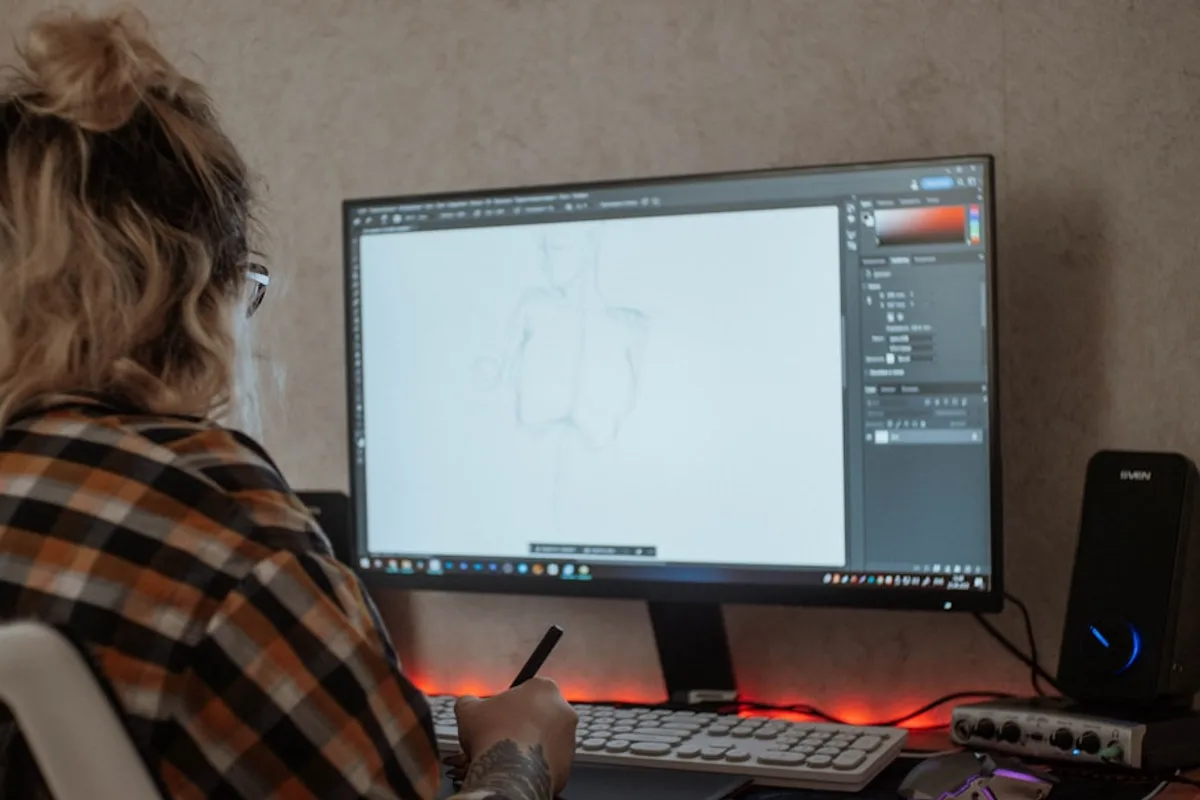
With a variety of tattoo design software available, artists can choose tools that best fit their creative process and style. Here are some of the best tattoo design software options:
- Procreate: An intuitive and versatile design tool, ideal for creative flexibility. Highly rated for its ease of use and extensive brush library.
- Adobe Photoshop: Advanced design software, best for detailed and intricate tattoo work. Offers powerful layering and vector graphics capabilities.
- Tattoo Smart: Specialized software for tattoo professionals, perfect for tailored designs. Known for its compatibility with various devices.
- Inkscape: Free vector graphics software, great for budget-conscious beginners. Offers essential tools for basic tattoo design.
- GIMP: Open-source image editor, suitable for basic tattoo design needs. Provides a wide range of functionalities for artists.
Each tattoo design software has its own strengths, catering to different artistic styles and workflows. For more insights into creating custom tattoo designs, explore this comprehensive guide.
Procreate: A Versatile Tool for Tattoo Artists
Procreate has emerged as a favorite among tattoo artists for its powerful features and user-friendly design. Its intuitive interface and extensive brush library allow for detailed tattoo designs, making it the best tattoo design app for creative flexibility. Compatible with the iPad, Procreate offers portability, while custom brushes cater specifically to tattooing styles. User testimonials consistently praise Procreate for its versatility and ease of use in tattoo design.
Adobe Photoshop: Advanced Design Capabilities
Adobe Photoshop offers tattoo artists unparalleled design capabilities, making it a staple in the industry. Its advanced features include photo manipulation and vector graphics, essential for creating intricate tattoo designs. The extensive toolset allows for detailed adjustments, while the layer functionality helps artists visualize complex designs. Despite a steep learning curve, numerous resources are available to master this powerful tattoo design software.
Tattoo Smart: Specialized Tools for Professionals
Tattoo Smart stands out with its dedicated tools and resources tailored specifically for tattoo professionals. This tattoo design software for artists includes a vast library of pre-made designs, saving valuable time. Additionally, Tattoo Smart for professionals offers educational resources and tutorials, enhancing skill development. User feedback highlights its effectiveness in streamlining the tattoo design process.
How to Choose the Right Tattoo Design Software for Your Style
Selecting the right tattoo design software is crucial for artists to effectively express their unique styles and preferences. Understanding your artistic style and the specific features of software can significantly enhance your tattoo design process and outcomes. Here’s how to choose the best software for tattoo artists:
- Identify your artistic style, whether traditional, tribal, or minimalist, and select software that caters to these preferences.
- Consider your workflow and the types of designs you typically create. For instance, Adobe Photoshop is ideal for intricate work.
- Evaluate the user interface and ease of use to ensure the software aligns with your individual needs.
For more insights, explore top tattoo design software and their features.
Identifying Your Design Needs and Preferences
Understanding your design needs is the first step in selecting the perfect tattoo design software. Clarifying these needs allows tattoo artists to choose software that enhances creative expression and efficiency. Consider the following steps:
- Reflect on your preferred tattoo style and complexity.
- Determine the intended use of the software, such as flash designs or intricate details.
- Ask yourself questions about your design vision and goals.
- Ensure the software’s capabilities align with your artistic expression.
Evaluating Software Features and Usability
Assessing the right features in tattoo design software can dramatically impact your creative workflow and design quality. Evaluating tattoo design software involves considering several key aspects:
- Examine brush options and layering capabilities for creative flexibility.
- Check export formats to ensure compatibility with other tools.
- Prioritize usability and user interface for a smooth design experience.
- Read user reviews and watch tutorials to gauge effectiveness.
Compatibility with devices is crucial for seamless integration into your workflow. Choosing software with the best features for tattoo design enhances the process rather than complicating it.
Testing Software with Trial Versions
Testing tattoo design software through trial versions is a smart way to find the perfect fit for your artistic needs. Here’s how to try tattoo design software effectively:
- Explore trial versions for tattoo software to experience features firsthand and ensure they align with your creative preferences.
- Focus on specific features relevant to tattoo design, such as layering and brush customization.
- Utilize tutorials and community feedback to maximize your understanding and workflow integration.
Free vs Paid Tattoo Design Software: Which is Right for You?

The choice between free and paid tattoo design software can significantly impact your creative process and overall satisfaction. Understanding the differences can help artists make informed choices that align with their creative needs and budget.
| Aspect | Free Software | Paid Software |
|---|---|---|
| Cost | No cost, ideal for beginners | Requires investment |
| Features | Limited tools, basic functionality | Advanced tools, extensive features |
| Support | Community forums | Professional customer support |
| User Experience | Accessible but may lack depth | Comprehensive and user-friendly |
For those just starting, Inkscape and GIMP offer great free options. However, if you seek advanced capabilities, investing in Procreate or Adobe Photoshop might be worthwhile. Consider your specific needs and budget when choosing between free vs paid tattoo design software.
Comparing Features and Limitations
Understanding the key differences between free and paid tattoo design software can guide artists in making the best choice for their needs. While free tattoo design software can be a great starting point, paid options often provide essential features that enhance the design process for professionals.
| Feature | Free Software | Paid Software |
|---|---|---|
| Basic Drawing Tools | Available | Advanced |
| Brush Variety | Limited | Extensive |
| Export Options | Limited | Comprehensive |
| Customer Support | Minimal | Robust |
| Examples | Canva AI, Tattoo AI | Procreate, Adobe Photoshop |
Cost-Benefit Analysis for Artists
Evaluating the cost-benefit of tattoo design software can help artists determine if the investment aligns with their creative goals. Investing in paid tattoo design software can significantly enhance an artist’s workflow, leading to better design quality and client satisfaction. Here’s a comparison to guide your decision:
| Aspect | Paid Software | Free Software |
|---|---|---|
| Features | Advanced tools and support | Basic functionalities |
| Efficiency | Improved workflow | Limited capabilities |
| Testimonials | Positive artist feedback | Mixed reviews |
Artists who switched to paid software report enhanced efficiency and design outcomes. Consider this checklist for evaluating your tattoo software investment:
- Does it improve design quality?
- Is client satisfaction increased?
- Are the features worth the cost?
Recommendations Based on Experience Level
Choosing the right tattoo design software based on experience level can significantly impact an artist’s development and creativity. Beginners might find Inkscape and GIMP ideal for starting their journey, while professionals benefit from advanced tools like Adobe Photoshop and Tattoo Smart. Tailoring software recommendations ensures artists have the right tools to support their growth and creativity.
| Experience Level | Recommended Software | Features |
|---|---|---|
| Beginner | Inkscape, GIMP | Free, suitable for basic designs |
| Professional | Adobe Photoshop, Tattoo Smart | Advanced tools for intricate work |
Professional Tattoo Artists Share Their Favorite Design Tools
Professional tattoo artists often have unique insights into the tools and techniques that elevate their design work. Many favor Procreate for its intuitive and versatile design capabilities, offering creative flexibility. Adobe Photoshop is preferred for its advanced features, ideal for intricate tattoo work. Artists also highlight Tattoo Smart for its specialization in tailored designs. To maximize these tools, experts suggest collaborating with clients through digital mock-ups, enhancing communication and satisfaction. Hearing directly from these professionals provides valuable insights into effective practices and innovative tattoo design techniques.
Spotlight on Innovative Design Techniques
Innovative design techniques are transforming the tattoo industry, enabling artists to push the boundaries of creativity and precision. Techniques such as layering, digital stenciling, and color blending are reshaping how tattoo artists approach their craft. For instance, digital stenciling allows for greater creativity and precision, offering artists new ways to experiment and develop a personal style.
Modern tattoo practices have evolved significantly with technology’s influence. Artists like those using Procreate and Adobe Photoshop integrate digital tools to enhance their creative processes, achieving intricate and detailed designs. Experimenting with these innovative tattoo design techniques can help artists discover their unique artistic voice.
Tips and Tricks from Industry Experts
Expert tips can significantly enhance how tattoo artists utilize design software, leading to improved creativity and efficiency. For instance, mastering keyboard shortcuts and tool settings in Adobe Photoshop can streamline intricate design work. Avoid common pitfalls by learning from experienced artists and engaging in continuous learning through online courses and community forums.
FAQs About Tattoo Design Software
Explore frequently asked questions about tattoo design software, covering top tools like Procreate for creative flexibility, Adobe Photoshop for intricate work, and Tattoo Smart for tailored designs.
What is the Best Tattoo Design Software for Beginners?
For beginners venturing into tattoo design, Procreate and Tattoo Smart stand out as top choices. Procreate offers an intuitive and versatile design tool, ideal for creative flexibility, while Tattoo Smart provides specialized software perfect for tailored designs. Both platforms deliver essential features that cater to newcomers. For more insights on tattoo design tools, visit Tattoo Studio Pro.
Can Tattoo Design Software Replace Traditional Sketching?
Tattoo design software can complement traditional sketching but may not fully replace it. Many artists still value the unique touch of hand-drawn elements. While tools like Procreate and Adobe Photoshop offer creative flexibility and intricate detailing, the tactile experience of sketching remains irreplaceable for some. Ultimately, the choice depends on personal preference and the desired outcome.
How Do I Integrate Tattoo Design Software into My Workflow?
Integrating tattoo design software into your workflow involves a few key steps. Start by using intuitive tools like Procreate for sketching initial ideas. For detailed work, Adobe Photoshop offers advanced editing capabilities. Collaborate with clients using specialized apps like Tattoo Smart, which allows for tailored designs. For budget-conscious beginners, Inkscape provides a great free option. Each tool enhances different stages of the creative process, ensuring a smooth workflow.
Are There Any Free Tattoo Design Software Worth Trying?
For artists on a budget, free tattoo design software like Inkscape and GIMP are worth exploring. Inkscape is a free vector graphics tool ideal for beginners, while GIMP offers open-source image editing suitable for basic design needs. These options provide essential functionalities without the cost, making them accessible choices for budding tattoo artists.
What Devices Support Tattoo Design Software?
Most tattoo design software is compatible with a range of popular devices, including tablets and PCs. However, it’s crucial to check the specific requirements of each application. For instance, Procreate is favored for its intuitive design on tablets, while Adobe Photoshop excels on PCs for intricate tattoo work.
Key Takeaways About Tattoo Design Software
Tattoo design software offers artists enhanced creativity and efficiency, transforming how they conceptualize and execute designs. With tools like Procreate for creative flexibility and Adobe Photoshop for intricate work, artists can align their software choice with personal style and workflow. The growing trend of digital tools in the tattoo industry fosters innovation, encouraging artists to explore various options. From specialized tools like Tattoo Smart to budget-friendly options like Inkscape, there’s something for everyone. Book your consultation today to start designing your one-of-a-kind tattoo!
Leave a Reply